
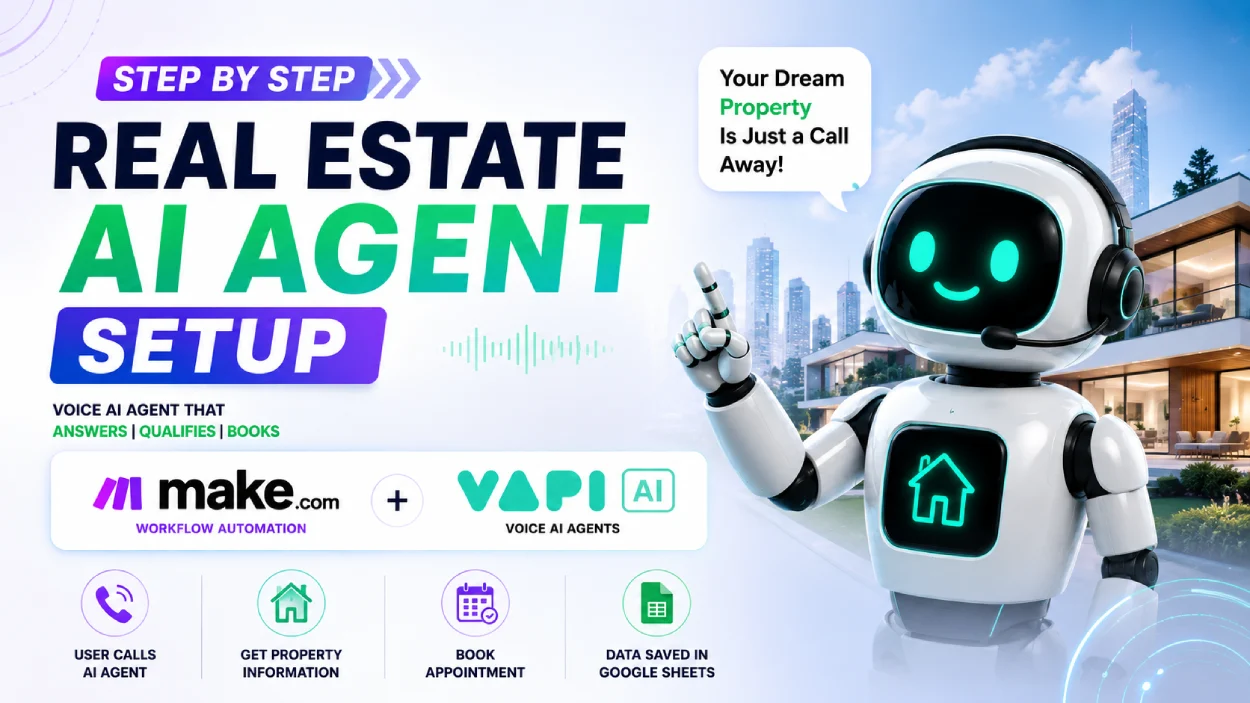
How to Build a 24/7 Real Estate Voice AI Agent with Vapi AI, Make.com & Google Sheets
in Real Estate on August 2, 2026Learn how to build a 24/7 Real Estate AI Voice Agent using Vapi AI and Make.com. Qualify leads, share property details, book appointments, and sync data to Google Sheets without writing code!
In the fast-paced real estate industry, speed to lead is everything. A missed phone call often means a lost client to a competitor. Whether you’re an independent broker, real estate agency owner, or an AI Automation Agency (AAA) founder, automating customer interactions without losing the human touch is the ultimate growth hack.
In this guide, you’ll learn how to build a 24/7 Real Estate AI Voice Agent using Vapi AI, Make.com, and Google Sheets—entirely without writing code.
🛠️ The Technology Stack
To build a fully autonomous voice assistant, we connect three powerful no-code tools:
- Vapi AI: Serves as the “brain and voice” of the agent. It handles real-time speech recognition, natural language conversational logic, and text-to-speech voice generation.
- Make.com: Acts as the integration engine (middleware) that receives webhook events from Vapi AI when a call ends or when an action needs to be executed.
- Google Sheets: Serves as the centralized CRM database to store caller contact details, property criteria, budgets, and scheduled appointments.
🔄 How the Workflow Works
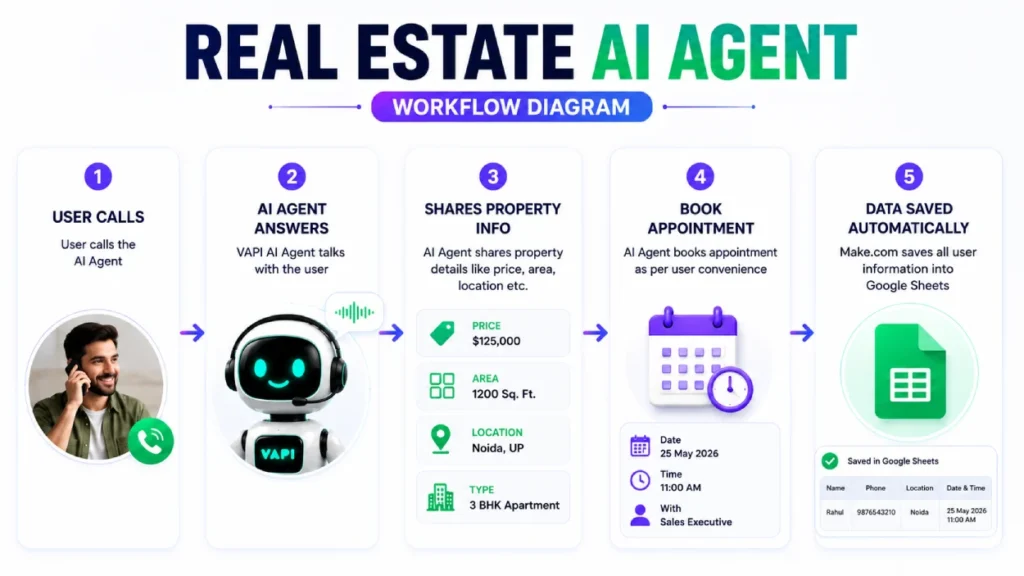
The system operates in a seamless 5-step loop:
📞 Step 1: User Calls
└── Prospect calls the AI Agent’s dedicated virtual phone number.
🤖 Step 2: AI Agent Answers
└── Vapi AI greets the caller, understands natural speech, and responds naturally.
🏠 Step 3: Shares Property Info
└── AI provides specific details (Price, Area, Location, Property Type).
📅 Step 4: Books Appointment
└── AI qualifies the caller’s interest and schedules a visit/call.
📊 Step 5: Data Saved Automatically
└── Make.com triggers a webhook and logs all prospect details into Google Sheets.
🚀 Step-by-Step Implementation Guide
Step 1: Create & Prompt Your Vapi AI Assistant
- Log into Vapi.ai and create a new assistant.
- Select a natural-sounding voice engine (e.g., ElevenLabs or Deepgram).
- Set up the System Prompt defining the AI’s role:
- Role: Real Estate Sales Assistant.
- Objective: Qualify caller interest, provide key property parameters (Price, Area, Location, Type), and schedule a sales executive callback or site visit.
- Tone: Professional, friendly, and helpful.
Step 2: Define Custom Function / Tool Calling
Configure function tools in Vapi to extract parameters during or after the conversation:
Name(String)Phone(String)Location(String)Budget(Number)Preferred Date & Time(String)
Step 3: Set Up the Make.com Scenario
- Create a new scenario in Make.com with a Custom Webhook trigger module.
- Copy the Webhook URL from Make.com and paste it into Vapi’s Server URL / End-of-Call Webhook setting.
- Add a Google Sheets (Add a Row) module connected to your target master spreadsheet.
- Map the JSON payload from Vapi (caller’s name, phone, location, budget, appointment date) directly into the sheet columns.
Step 4: Test & Deploy
- Assign a phone number (via Twilio or Vapi native numbers) to your assistant.
- Place a test call to verify that the AI answers questions smoothly, captures your booking details, and instantly populates a new row in your Google Sheet.
🎯 Key Benefits for Real Estate Professionals
- Zero Missed Opportunities: Every incoming call is answered within 2 seconds, day or night.
- Instant Qualification: Filters out casual callers so your human sales agents focus only on high-intent buyers.
- Seamless Automation: Eliminates manual data entry into CRMs or spreadsheets.
- Cost-Effective Scalability: Handles hundreds of simultaneous calls during active marketing campaigns without needing extra staff.
📌 Conclusion
Integrating a Voice AI Agent into your real estate workflow transforms your phone system from a passive channel into a 24/7 automated lead generation engine. By pairing Vapi AI with Make.com, you get an enterprise-grade solution that scales effortlessly.